Lesson · 30 min
Your workspace: Soul, Memory and System files
The markdown files that shape how Muse behaves and what it knows about you, and how skills fit in.
By the end you can
- Read and edit Muse's Soul and Memory.
- Find System files and say what the main files control.
- Explain what skills are and where Meta's documentation stops.
The files behind Muse
Muse keeps its identity and memory in markdown files. You can read them, edit them by hand, or ask Muse to change them in chat.
| File | Where | What it controls |
|---|---|---|
MEMORY.md | Your assistant›Identity›MEMORY | Facts Muse keeps about you |
SOUL.md | Your assistant›Identity›SOUL | Tone and behavior of your assistant |
| System files | Library›System files | The full set of workspace files |
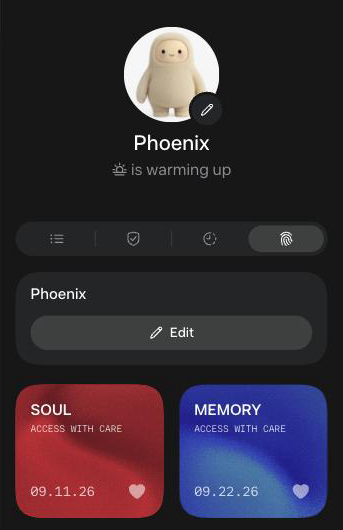
Tap the SOUL or MEMORY card to open the file in an editor. Both carry the label "Access with care".
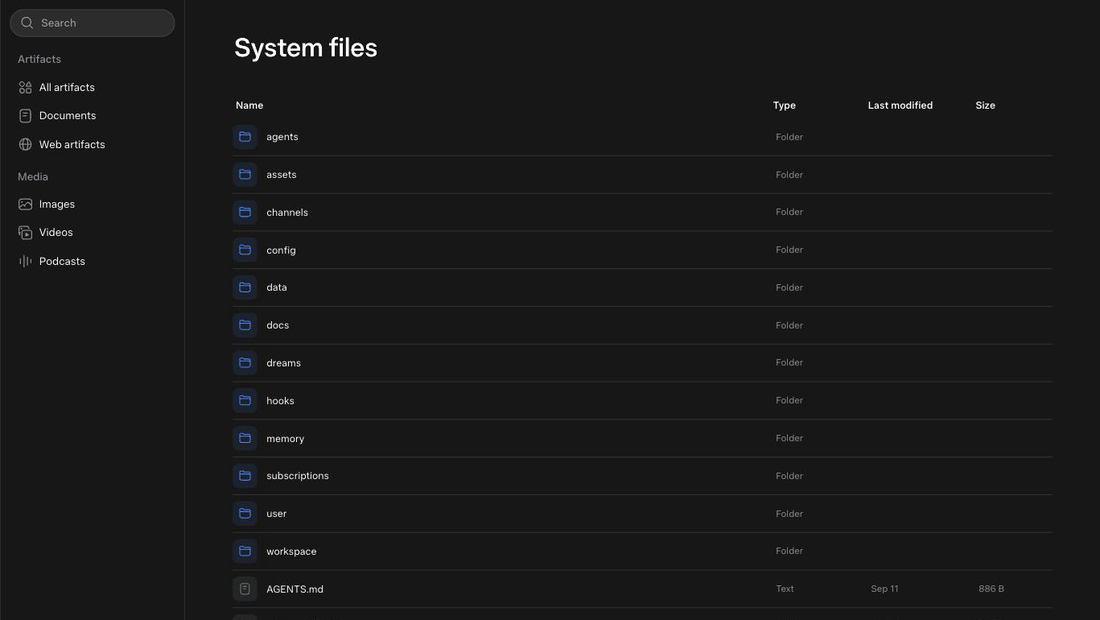
System files holds folders named agents, assets, channels, config, data, docs, dreams, hooks, memory, subscriptions, user and workspace, plus files such as AGENTS.md, HEARTBEAT.md and IDENTITY.md. The layout matches OpenClaw's workspace.
Meta notes that Muse "may still remember information it learned from what you deleted." Deleted lines can leave traces.
Exercise: set your Soul
- Open Library›System files. List every file you see, with one line on what each seems to do.
- Open Your assistant›Identity›SOUL and read it.
- Send:
Update your Soul: reply in short sentences, no filler, no emojis. Ask one question at most before acting. When a task involves money or messages to other people, show me a draft first.
- Reopen Soul and confirm the change.
Exercise: set your Memory
Remember: I live in [city]. I work [hours]. My partner is [name]. I don't eat [food]. My gym days are [days].
Open Your assistant›Identity›MEMORY. Find the new lines. Delete one by hand and confirm it is gone.
Soul shows your new rules. Memory shows your facts, minus the one you deleted.
Switching from another assistant? Settings›Data controls›Import memory brings your history across.
How skills work
A skill is a set of instructions, often with a tool, that tells Muse how to do one job. Meta ships built-in skills for podcasts, images, research, documents, dashboards and browsing. You ask for the job and Muse picks the skill.
- To see what exists: the Ideas icon in the left rail, or ask "What can you help me with?"
- To see which skill ran: Your assistant›Activity
Meta's Help Center says: "Skills are developed by Meta and are already part of Muse." Meta also says Muse "can write its own custom connectors for other services you care about if they have their own APIs or CLIs." Saving your own reusable skill is not documented. Lab 7 has you build a connector, then test whether Muse will save a skill for you.
Built-in skills are folders with a SKILL.md instruction file and a tool. A community export counted about 68. reported
Meta's Help Center has no screen for managing skills.