Money · Free guides
Find out if you're overpaying on your phone or internet bill
Muse logs into your phone, internet or insurance account, reads every line, and checks what new customers pay. In our run it found a free loyalty program worth about $94 a year.
- Runs in
- Muse + Gmail + your provider's website
- Time
- 45 min, about half of it Muse browsing
Before you start
- Pick one bill: internet, mobile or car insurance. Pick the one where your promo price ended most recently.
- Connect Gmail. Have your provider login ready, and keep your phone close for the verification code.
- Type your password only in the Secure Store card Muse shows at the login page. Never in chat.
- Muse reads your account on its own. It asks before enrolling you in anything, changing a plan, or accepting an offer.
1. Read the bill in your email
Find my latest [provider] bill in Gmail. Summarize the plan, monthly price, any promo end date, and every fee.
Many providers email only the total. If so, Muse will say so and offer to open your account.
2. Pull the full bill from your account
Open my [provider] account and pull the full itemized bill: plan per line, every fee, every promo credit and when it ends. View only. Don't change anything.
Muse opens the site in its own browser. Tap Open browser on the Browser card to watch.
3. Find discounts you already qualify for
In my [provider] account, list every discount I'm not using: autopay, paperless, loyalty, bundles, plan changes with the same speed or coverage. Don't change anything yet.
4. Compare with new-customer prices
Check current new-customer prices from [provider] and two competitors at my address for the same speed or coverage. Put them in a table with the monthly price, the price after the promo ends, and contract length.
5. Act on what you found
If you pay more than new customers for the same thing, ask for the lower rate:
Using that table, contact [provider] through their online chat or message center. Ask for a lower rate or a retention offer and cite the competitor prices. Don't accept anything, change services, or agree to a contract without my approval.
If there is no gap, take the discounts that suit you:
Enrol me in [discount]. Show me the terms first and wait for my approval before you submit.
6. Save it and set reminders
Save the new price, what changed, and the confirmation number in a document in my Library. Remind me two weeks before each promo on this bill ends.
The promo end dates are the reminders worth having. That is when the bill goes up next.
When we ran it
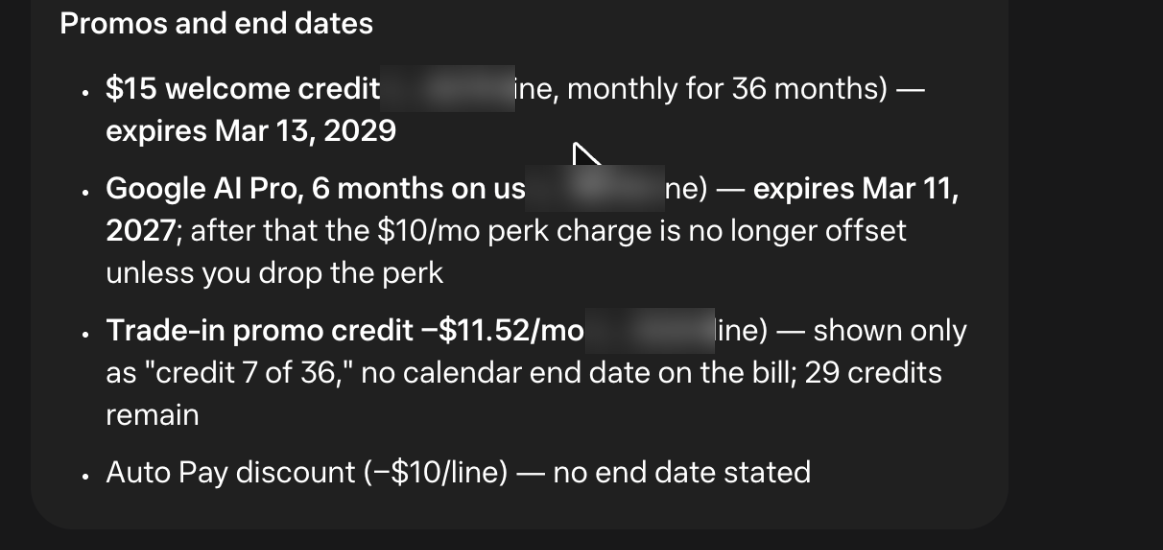
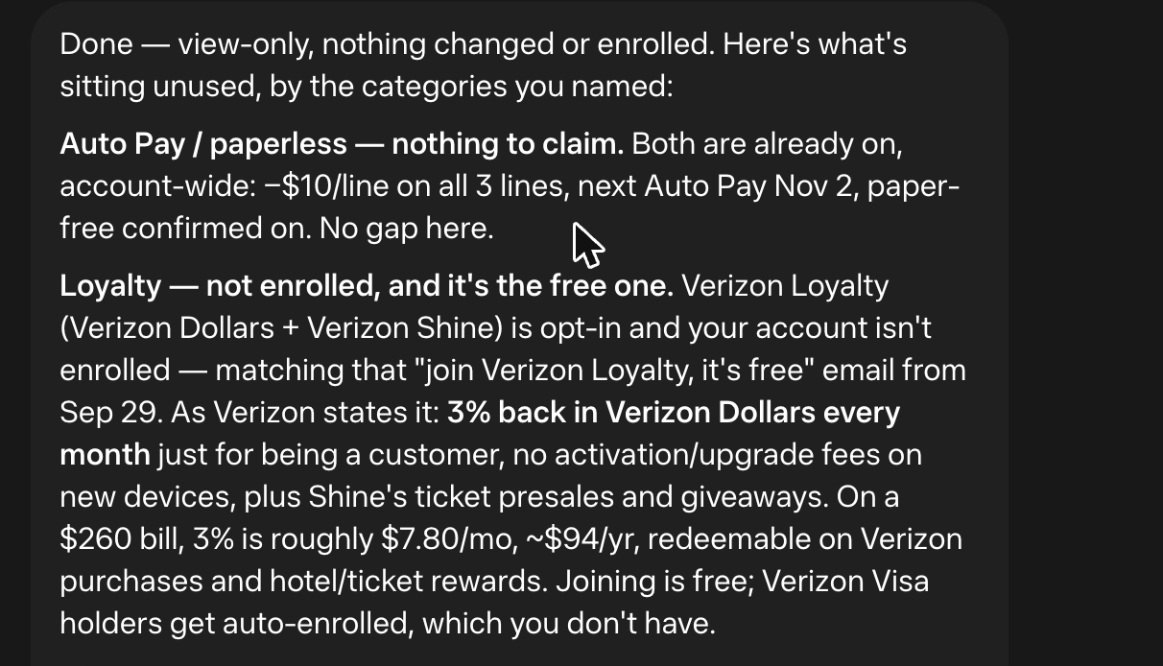
We used a Verizon account with 3 lines. The email had the total only, so Muse logged in and came back about two minutes later with the full bill and every promo end date. In about 10 minutes of clicking through offer pages it found a free loyalty program we had never joined, worth roughly $94 a year, and a cheaper plan at $45 instead of $55 per line with the catches listed. The price comparison showed no gap to negotiate. Most of our bill was phone payments and taxes.
- Read the catches before you take a cheaper plan. Ours cut the hotspot allowance and might have voided a price lock.
- Switching insurance: confirm the new policy is active before the old one is cancelled.
- Remove the login afterwards in Settings›Secure store if you will not run this again.
Make it yours
- If the provider says no, ask Muse to request the cancellation or retention team, and to remind you in 30 days to try again.
- Have the phone calling beta? Ask Muse to call the provider instead. It reaches US businesses only.
Full walkthrough
Every step, screenshot and fix from our run is in Put Muse to Work.
Lab 3: Lower one bill →