Inbox and calendar · Free guides
Find out which emails actually need you
In our run, 200 unread emails needed zero replies. Muse sorted them in about five minutes, drafted replies in our style, and sends only what you approve.
- Runs in
- Muse + Gmail
- Time
- 30 min the first time
Before you start
- Connect Gmail in Settings›Connectors.
- In Settings›Permissions, set both defaults to Always ask.
- In Settings›Connectors›Gmail, check that sending and archiving are on Ask.
- Muse can read and draft freely. It shows you an approval card before it sends anything.
1. Sort and draft
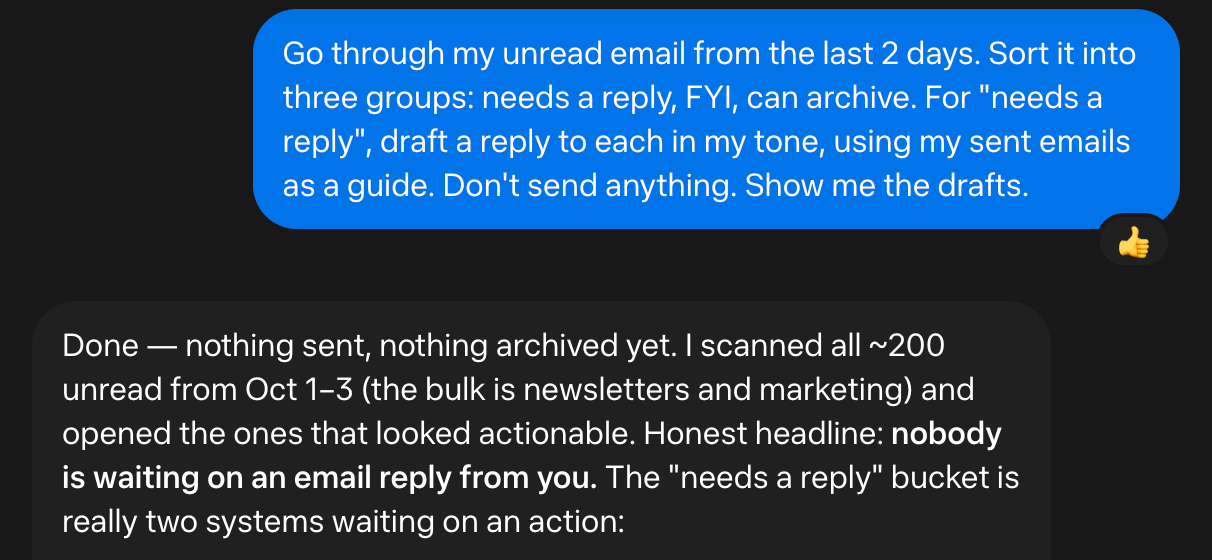
Muse splits your unread email into three groups and writes replies for the ones that need you. Nothing goes out.
Go through my unread email from the last 2 days. Sort it into three groups: needs a reply, FYI, can archive. For "needs a reply", draft a reply to each in my tone, using my sent emails as a guide. Don't send anything. Show me the drafts.
2. Fix a draft
Change a reply in plain words. Swap in the person's name.
Make the reply to [name] shorter and suggest Tuesday afternoon instead.
3. Test the send with yourself
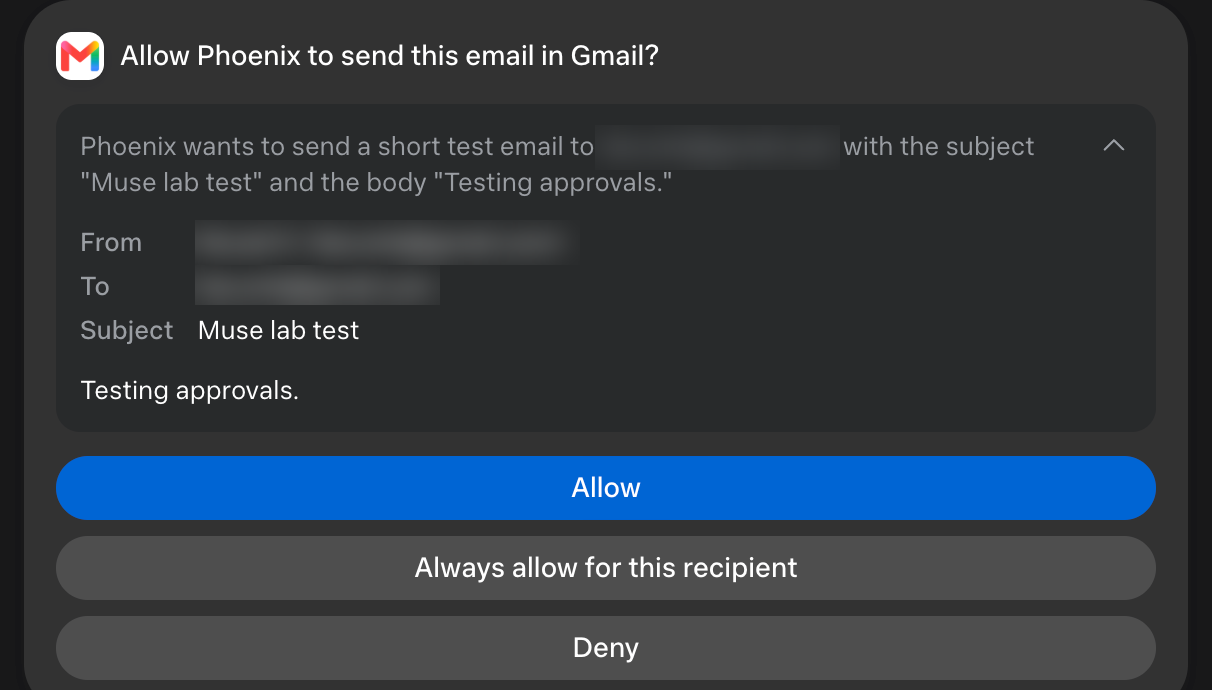
Send yourself a test first, so you see the approval card with nothing at stake.
Send a short test email to myself with the subject "Muse lab test" and the body "Testing approvals."
Read the card to the end. Allow sends this one email. Always allow for this recipient skips the card next time for that address, so keep it for yourself or family.
4. Send a real reply
Same card, real person. Check the To line before you tap.
Send the reply to [name].
5. Archive the rest
Ask Muse to clear the "can archive" group.
Archive everything in the "can archive" group.
Check the count before you approve a bulk action. In our run, Muse said about 170 emails in its first answer and 290 when we asked it to archive.
When we ran it
Muse scanned about 200 unread emails in roughly five minutes, and opened only the ones that looked actionable. Most were newsletters. Its answer was that nobody was waiting on an email reply; the two items that needed us were systems waiting on an action. The drafts matched our short, first-name style and were signed with our name.
Archiving needed an extra Gmail permission, so Muse stopped, archived nothing, and showed a Needs access card. It does nothing until you tap Add.
Make it yours
Run it every weekday, with sending left to you:
Every weekday at 5 pm, sort the day's unread email the same way and draft replies. Never send. Message me a count of each group.
Emails can carry hidden instructions aimed at agents, a risk called prompt injection. Keeping sends on approval is your defense: read every card to the end.
Full walkthrough
Every step, screenshot and fix from our run is in Put Muse to Work.
Lab 4: Inbox triage with approvals →